Inside the actual product
Meet the D[AI]NGEN Family interface
These genuine product screenshots show how parents can manage child profiles and AI access, and review requests across desktop, tablet and phone. V1 has been developed, but physical validation of browser enforcement is still pending.
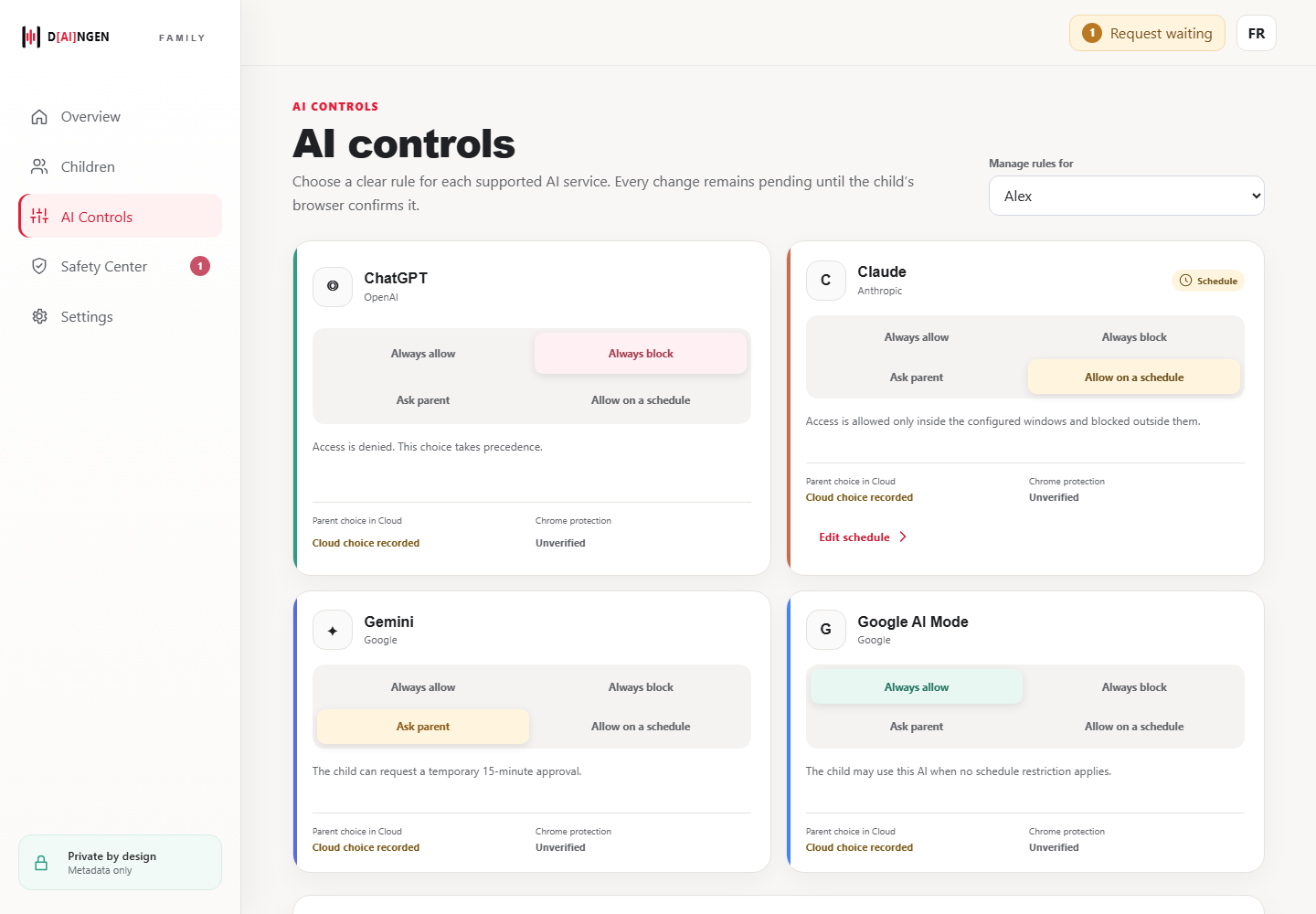
Rules for each supported AI service
The Family dashboard lets parents define access choices for ChatGPT, Claude, Gemini and Google AI Mode. The screenshot visibly distinguishes a recorded cloud choice from unverified browser enforcement.
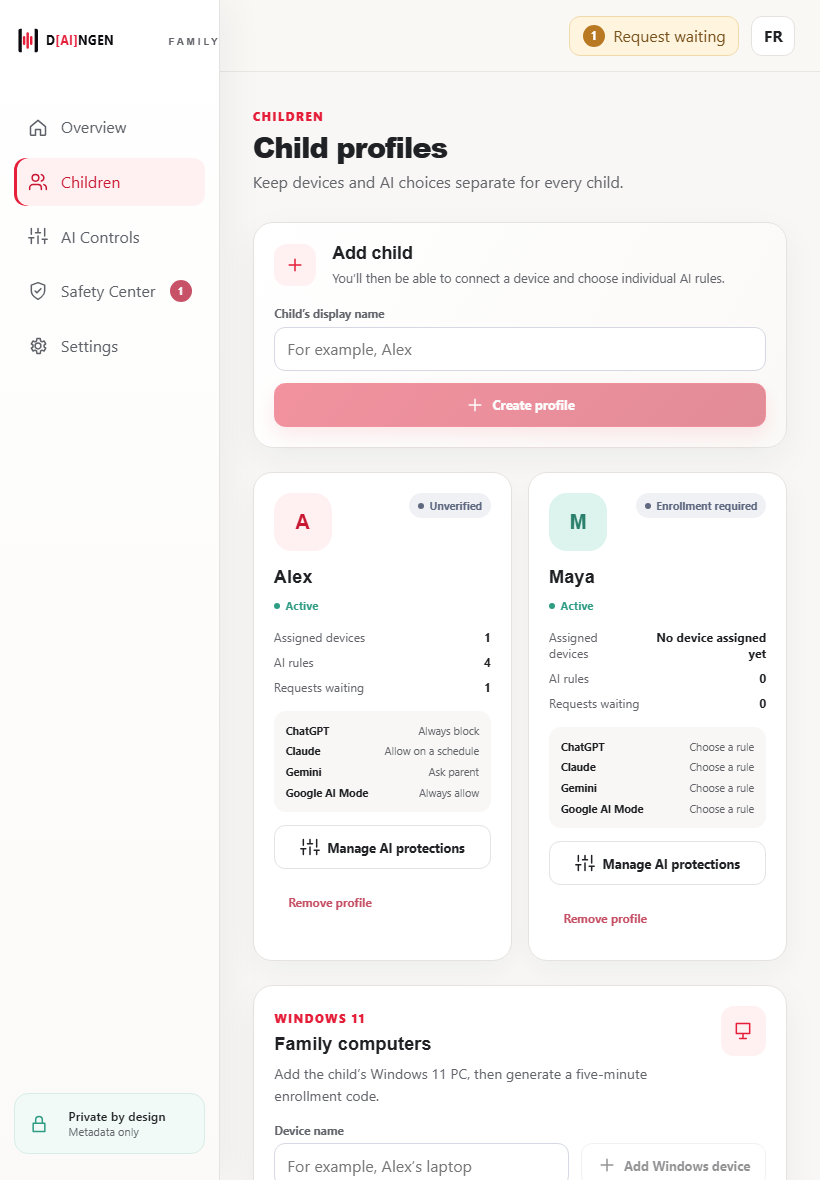
A separate space for every child
Manage individual profiles, AI rules and device enrollment from one parental portal. The screenshot contains sample profiles and unverified devices.
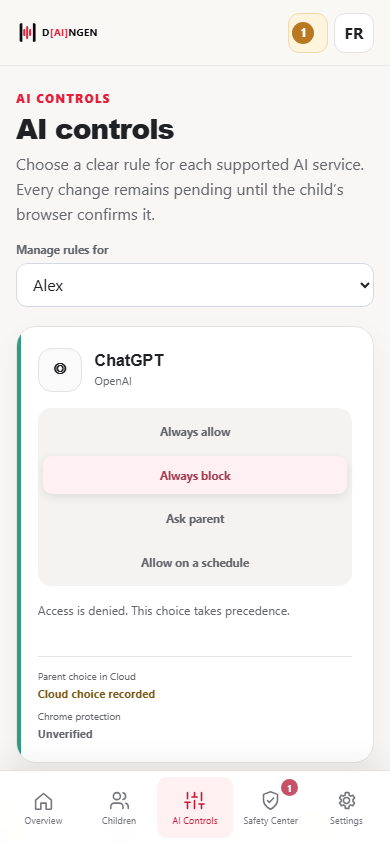
Manage rules on the go
The same web portal adapts to smaller screens for AI access rules, without requiring a separate mobile application.
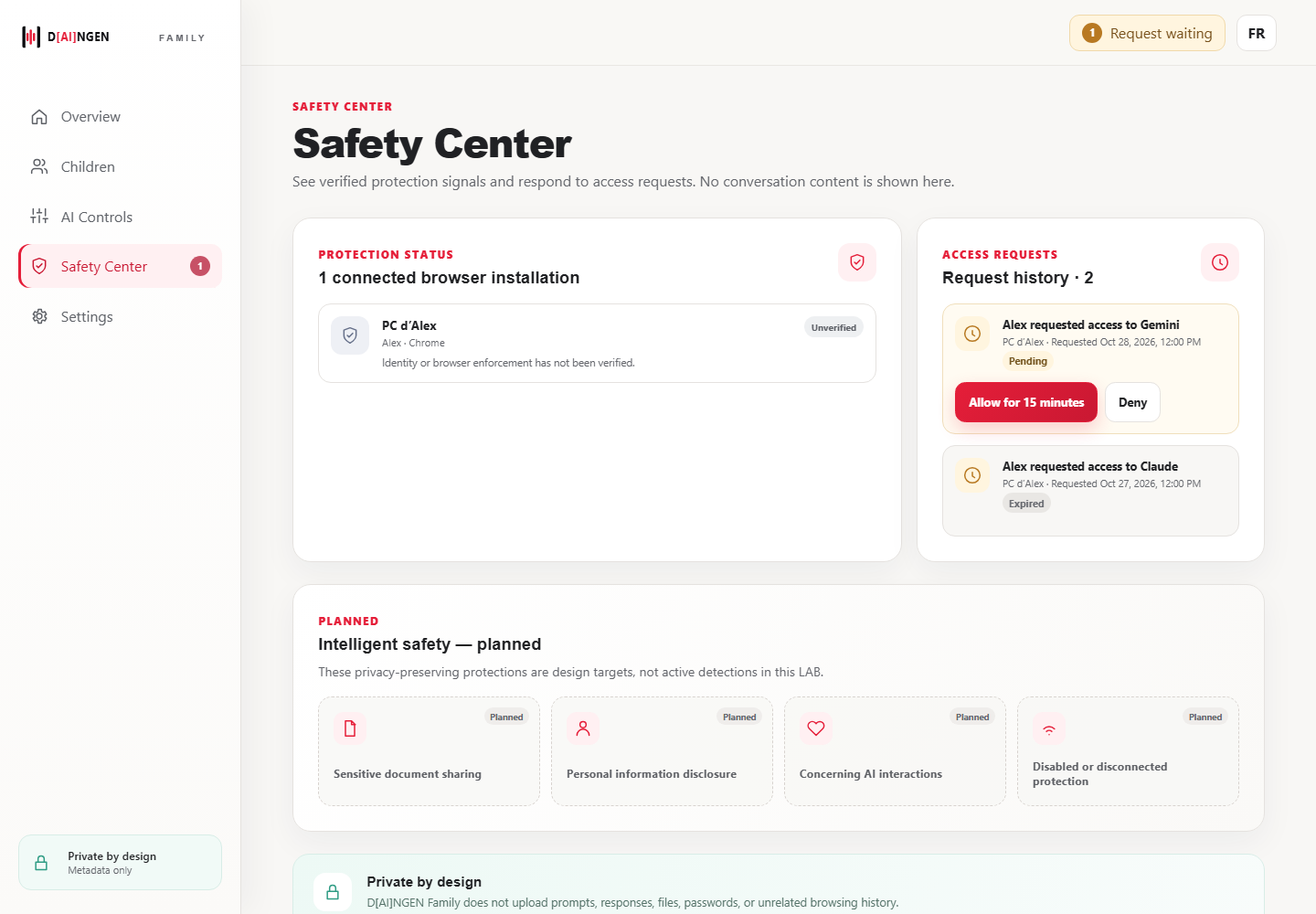
Access requests and transparent protection status
Safety Center shows access requests and protection status. Advanced intelligent-safety functions shown in this screen are explicitly planned, not active.
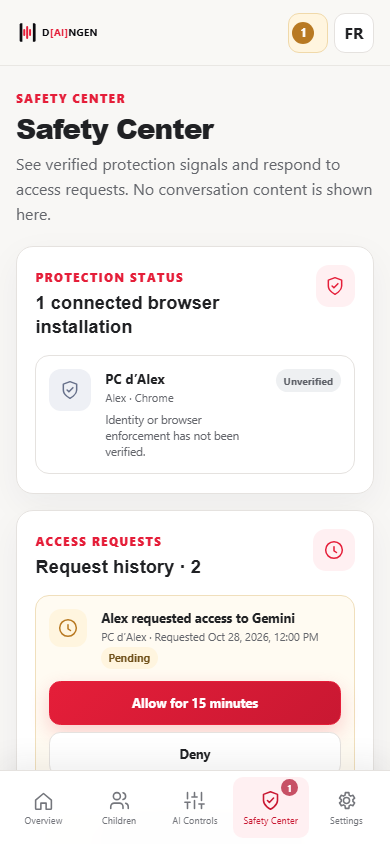
Review access requests from a phone
The mobile portal offers a clear view of temporary access requests and browser verification status. The captured installation is marked unverified.
Family interface previews with demonstration data. A recorded rule does not mean browser enforcement has been verified. Intelligent-safety features marked “Planned” are not yet available.